Raspberry Pi Fleet & Silicon Torture Lab
A deep dive into self-hosting, custom hardware builds, ADS-B virtual radar tracking, offline AI robotics, 3D fabrication, and making credit-card-sized computers sweat 24/7/365.
⚡ Setting the Record Straight: The Host is a Radxa X4 (16GB / 256GB M.2)!
Before any silicon purist inspects our CPU flags or checks our MAC address: this website itself is proudly hosted on a Radxa X4 (16GB LPDDR5 RAM, 256GB M.2 NVMe SSD, Intel Quad-Core N100 x86_64)! It has the exact same credit-card-sized form factor as a Raspberry Pi, but packs an x86 Intel punch with 2.5GbE networking, double the RAM of a Pi 5, and native x86-64 container support. Meanwhile, the rest of our subterranean bunker is packed with genuine Raspberry Pis running 1090MHz ADS-B virtual radar, offline voice AI for Vector the robot, and RP2040 microcontrollers!
Remember when the original 2012 Raspberry Pi Model B launched with 256MB of RAM, a 700MHz ARM11 core, and an RCA video jack? You'd fire up Midori browser and wait forty seconds just for a Wikipedia article to render.
Fast-forward to today. Between the Radxa X4 and our Raspberry Pi fleet, single-board computers (SBCs) have completely revolutionized self-hosting. From quad-core x86 silicon running production container stacks to ARM-based Pis decoding real-time aircraft radar and speech recognition, these credit-card boards can run entire infrastructures while sipping a fraction of the power of an old server rack.
Why self-host on SBCs instead of AWS or Azure? Because Big Cloud wants you to shell out $60–$120 every single month for a few gigabytes of virtual memory, all while harvesting your telemetry. Our subterranean boards draw barely 6 to 10 Watts from the wall, cost pennies a week in electricity, and give total sovereign control over our data.
🖥️ Project 1: The Production Server — Radxa X4 (16GB / 256GB M.2) & Pi Evolution
While our Raspberry Pis handle radio telemetry and robotics, the primary workhorse hosting
supergalley.com 24/7 is the Radxa X4—the ultimate credit-card-sized x86 server.
- Compute: Intel Processor N100 (4 cores, 4 threads, up to 3.4GHz turbo, 6W TDP, Gracemont / Alder Lake-N).
- Memory: 16GB LPDDR5-4800 RAM — double the ceiling of the Raspberry Pi 5!
- Storage: 256GB M.2 2230 NVMe SSD (PCIe 3.0 x4) mounted directly to the board.
- Networking: 2.5 Gigabit Ethernet (Realtek RTL8125BG) — 2.5x faster than 1GbE Pi networking.
- RP2040 Coprocessor: An onboard Raspberry Pi RP2040 microcontroller driving the 40-pin GPIO header!
- Power: USB-C Power Delivery (PD) supporting 12V negotiation for rock-solid stability.
- Form Factor: Exact 85mm × 56mm footprint matching the Raspberry Pi 5!
- Operating System: Linux 64-bit (headless production server).
- Native x86 Architecture: Runs all standard Docker container images directly—zero ARM multi-arch build errors or emulation overhead!
- Edge Proxy: Traefik v3 reverse proxy with automated Let's Encrypt TLS-ALPN certification.
- WSGI App: Supergalley Flask application running multi-worker Gunicorn.
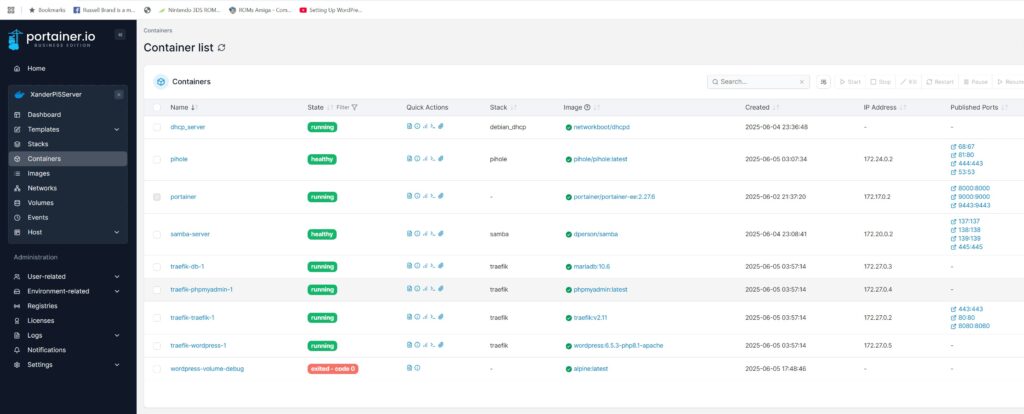
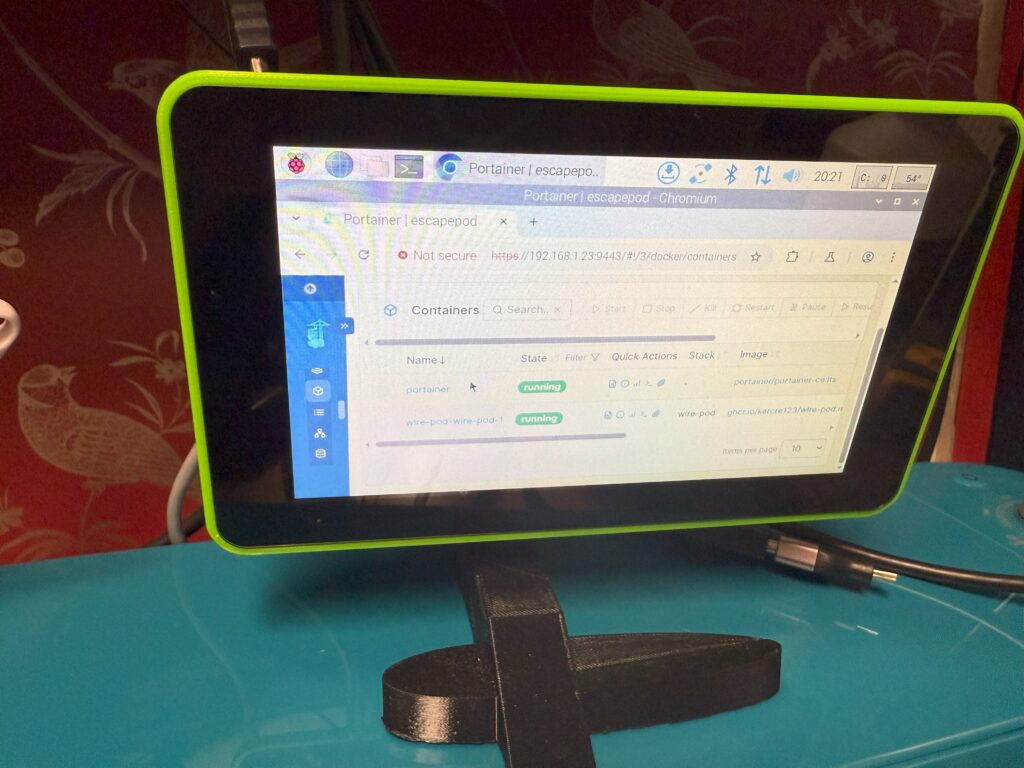
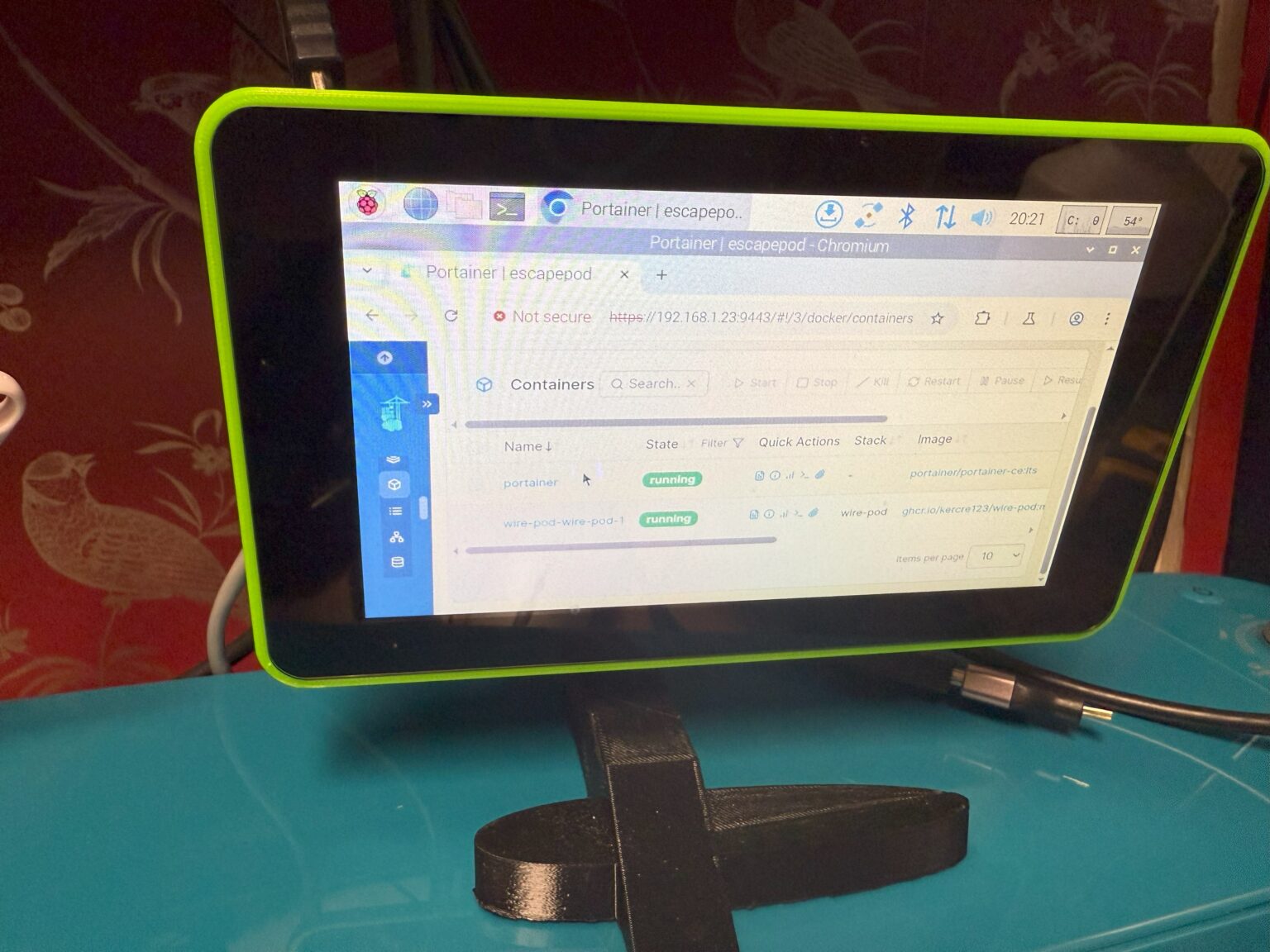
- UI Management: Portainer CE for container telemetry, logs, and stack deployments.
- Services Hosted: Supergalley web app, Redis cache, SQLite web explorer, Tusd daemon, and BannedFromHeaven.
💥 The Journey: From Pi 5 NVMe Testing to Radxa X4 Power
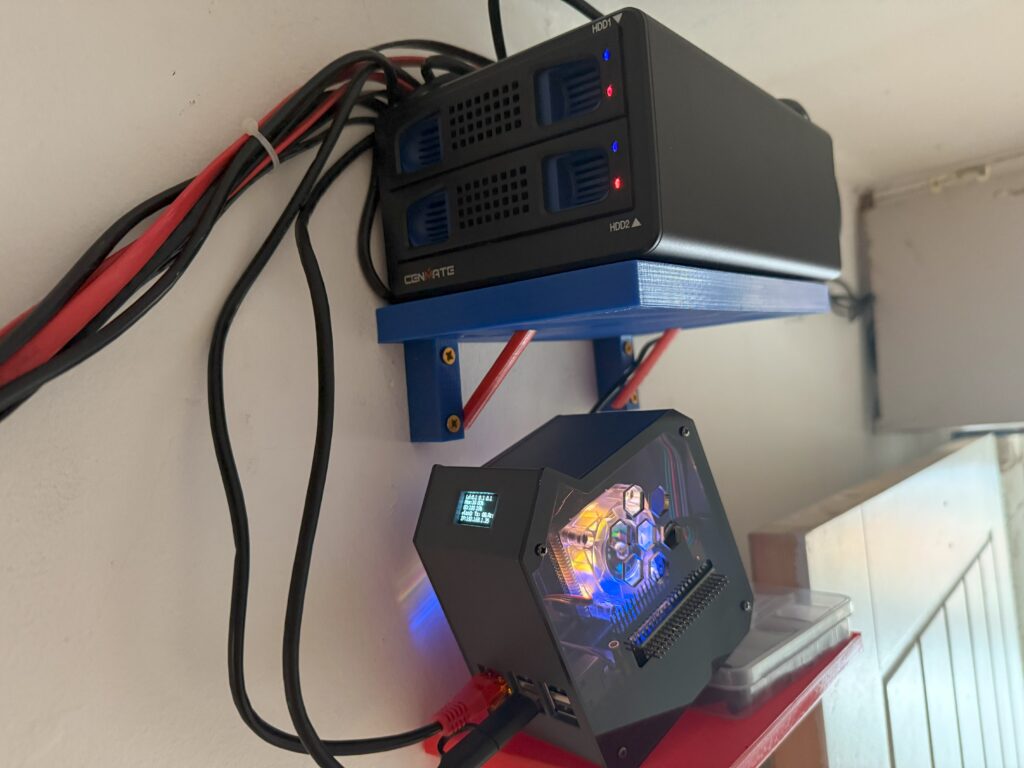
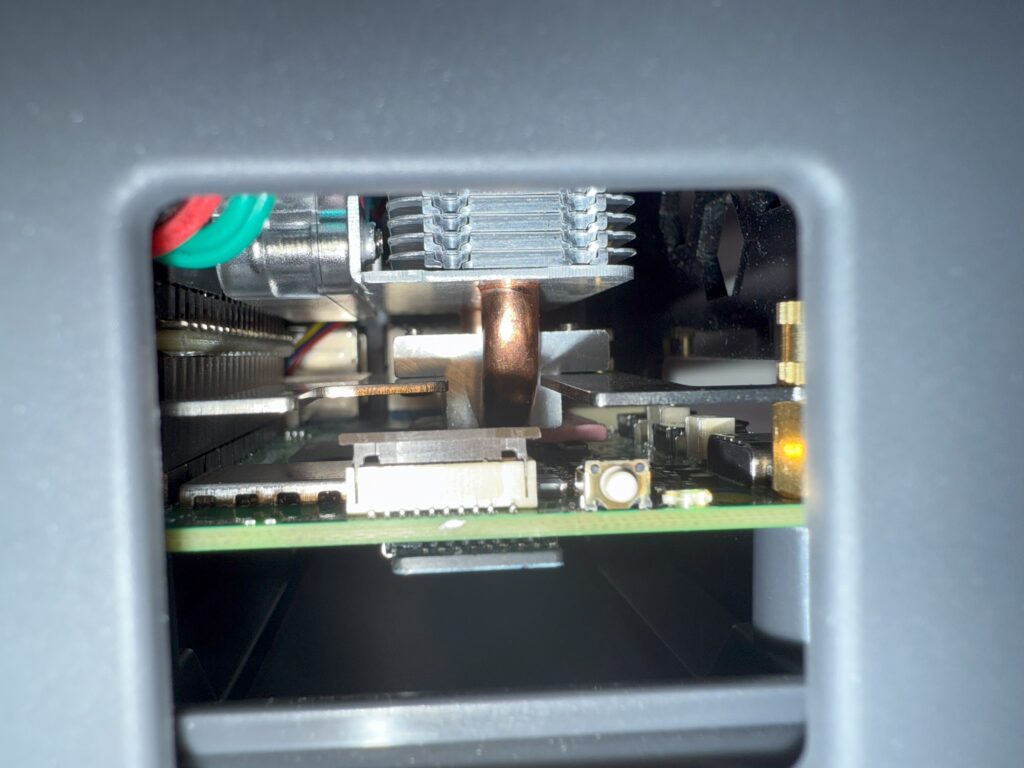
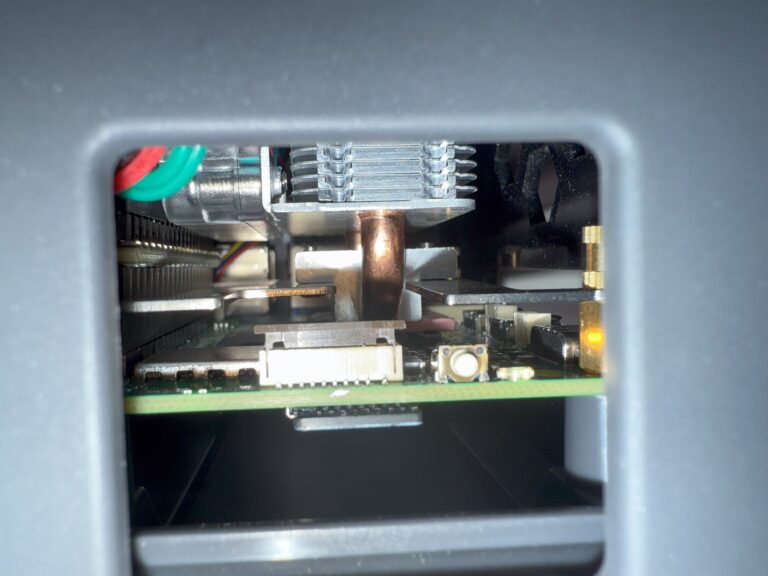
Our server journey started with extensive testing on the Raspberry Pi 5 (8GB). As documented in our lab photos below (see the Pi 5 NAS full view and Peek chassis), the Pi 5 was a massive leap over older Pis. By bolting an M.2 NVMe base HAT onto the Pi 5's PCIe ribbon connector, we eliminated the #1 failure point of Raspberry Pis: corrupted microSD cards. Read speeds jumped from ~25 MB/s to over 800 MB/s.
However, when running heavy production workloads, multiple databases, and wanting native x86-64 compatibility without cross-compilation quirks, the Radxa X4 took the throne. It gives us a massive 16GB of LPDDR5 RAM, a 256GB M.2 NVMe SSD right on the board with zero ribbon cables, and 2.5 Gigabit Ethernet, all in the exact credit-card footprint of a Pi!
❄️ Taming the Silicon: Thermals & Active Cooling
Both the Intel N100 on the Radxa X4 and the BCM2712 on the Pi 5 pack immense compute density into tiny dies. Without active cooling, any modern high-speed SBC will rapidly heat-soak and throttle clocks under load.
Whether it's the Pi 5 Active Cooler or custom active cooling on the Radxa X4, directed airflow across the thermal pads, SoC, and NVMe drive keeps operating temperatures cruising in the breezy 42°C to 50°C range, ensuring 24/7 reliability even when web traffic spikes.
📡 Project 2: The 1090MHz ADS-B Virtual Radar Ground Station
When you spend your weekends flying microlights out of Chirk Airfield (G-BYTU, G-CIAW), situational awareness isn't just an intellectual curiosity—it's safety. This project blends radio frequency engineering with Raspberry Pi computing to create a dedicated ground station tracking live aircraft across the UK.
Every commercial airliner, military transport, business jet, and modern light aircraft transmits unencrypted Mode-S Extended Squitter radio bursts at 1090 MHz.
These data packets are broadcast up to twice per second directly from the aircraft's transponder, transmitting:
- ICAO 24-bit Aircraft Address: Unique hex identifier for the airframe.
- Precise GPS Coordinates: Latitude, longitude, and ground speed.
- Barometric Pressure Altitude: Calibrated against standard 1013.25 hPa.
- Callsign & Squawk: E.g. Ryanair
RYR42WPor emergency7700. - Vertical Rate: Climbing or descending in feet per minute.
- Processor: Dedicated Raspberry Pi 4B running headless radio services.
- Receiver: RTL-SDR v4 Software Defined Radio USB dongle with TCXO (Temperature Compensated Crystal Oscillator) for zero frequency drift.
- Antenna: 1090MHz tuned vertical collinear whip antenna mounted for maximum line-of-sight elevation.
- Bandpass Filter: SAW 1090MHz filter + Low Noise Amplifier (LNA) to reject overpowering cellular 4G/5G and broadcast FM signals.
- Software:
readsb/dump1090-fademodulating RF I/Q samples into JSON feeds. - Radar GUI:
Tar1090web interface providing real-time vector maps and signal heatmaps.
From our station, we track traffic descending into Liverpool John Lennon (EGGP), Manchester International (EGCC), transatlantic jets cruising high along airway corridors across the Irish Sea, RAF training sorties weaving through the Snowdonia valleys, and local general aviation traffic hopping between Welsh grass strips. Data is fed back into global crowdsourced networks including ADSBexchange and FlightAware.
🤖 Project 3: Vector the AI Companion & The Offline WirePod Server
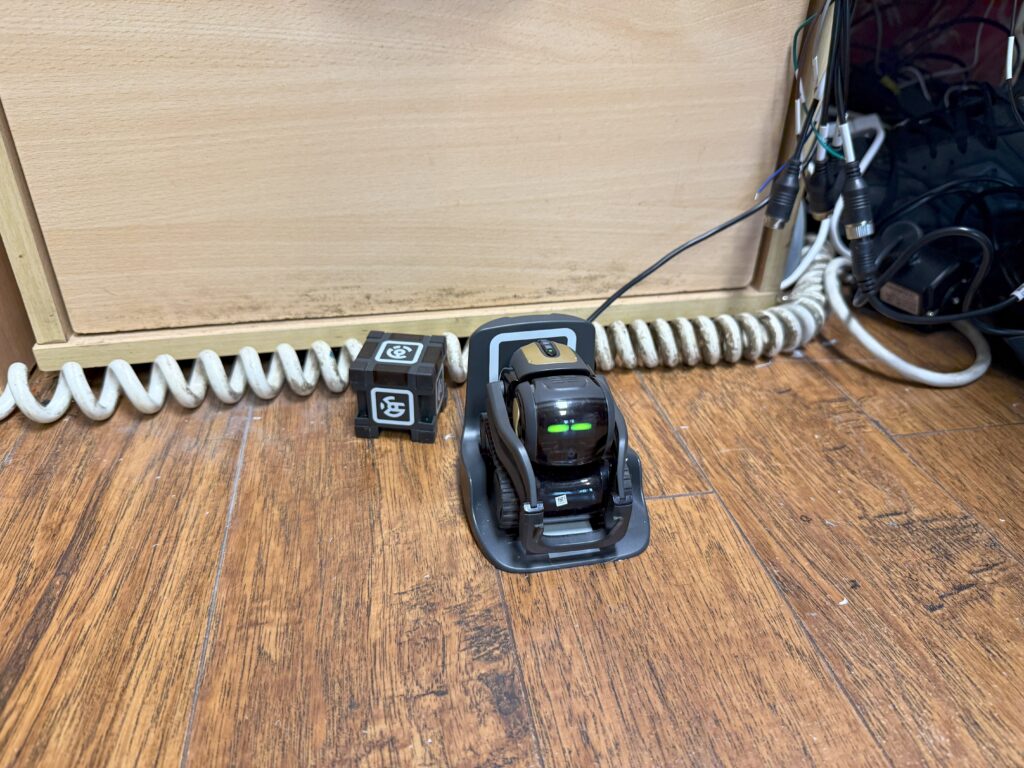
Meet Vector: an autonomous, emotive desktop AI robot originally created by Anki. Equipped with an HD camera, 4-microphone beamforming array, laser time-of-flight sensor, drop cliff detectors, and expressive animated OLED eyes, Vector explores the desk, identifies faces, rolls his cube, and purrs when petted.
💀 The Cloud Apocalypse & The Open-Source Rescue
When Anki collapsed and corporate IP was bounced between buyers, the proprietary cloud servers that powered Vector's voice recognition were shut down and paywalled. Across the globe, hundreds of thousands of robots were rendered essentially comatose—unable to respond to voices, stuck displaying a wifi error icon.
Enter WirePod—a brilliant community open-source project written in Go that acts as a complete, drop-in local replacement for the original corporate cloud backend.
We dedicated a Raspberry Pi 4B paired with the official Raspberry Pi 7-inch capacitive touchscreen display to act as Vector's permanent off-grid brain.
The 7-inch touchscreen displays real-time WirePod server telemetry: voice intent decodes, audio confidence scores, connected robot battery state, and active plugin logs.
- You say "Hey Vector". Vector's microphone array pinpoints your location and chimes.
- Vector streams raw audio over the local Wi-Fi network directly to the Raspberry Pi.
- The Pi runs the Vosk local speech-to-text engine, transcribing spoken words in ~200ms entirely on the ARM CPU.
- WirePod intent handlers execute commands: timers, weather, questions, setting alarms, or rolling his cube.
- Synthesized responses are beamed back over local socket connections—faster and more private than Big Tech cloud ever was!
🛠️ Project 4: Custom 3D Fabrication for Pi Hardware
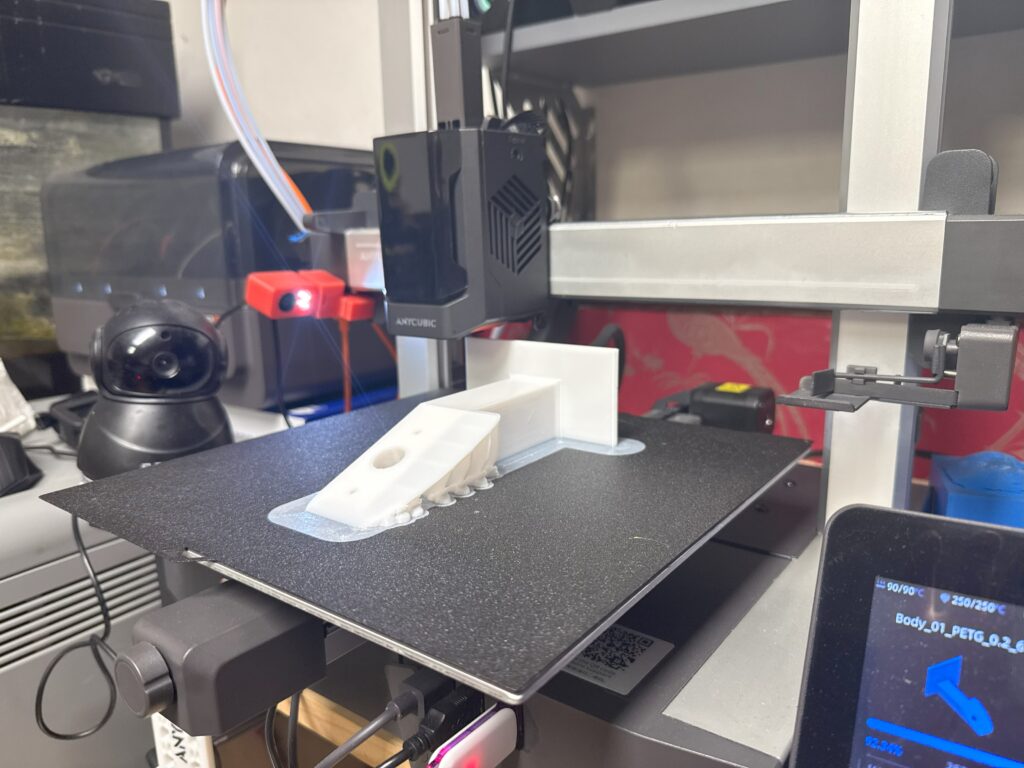
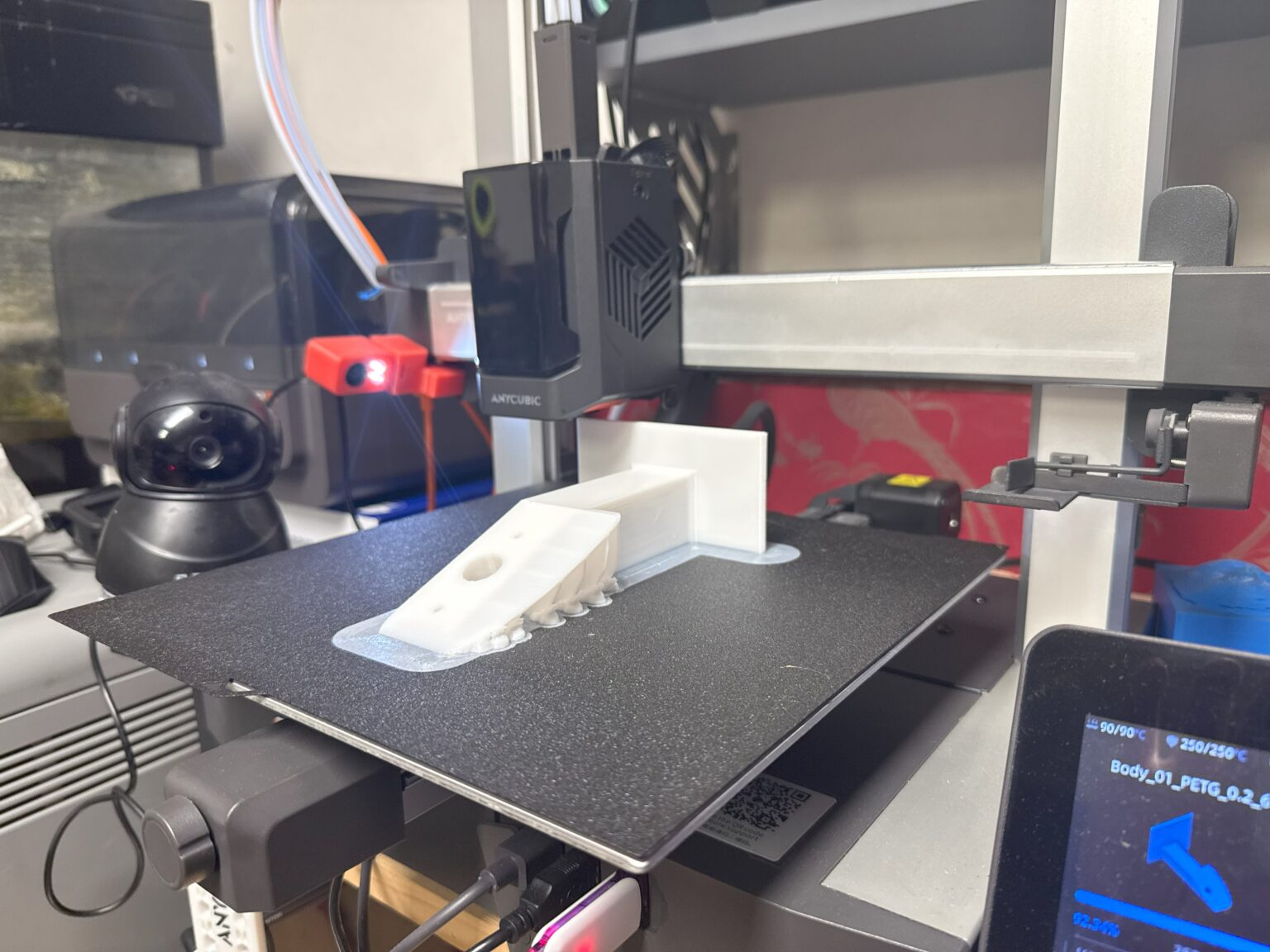
A bare circuit board dangling by its power cable off the back of a desk is an accident waiting to happen. To keep our Pi fleet secure, cooled, and serviceable, every bracket, mount, and enclosure is custom designed and 3D printed.
📐 CAD Design in Shapr3D
Using digital vernier calipers and Shapr3D on the iPad, we model bespoke mounting plates tailored to millimeter-precise tolerances. We account for:
- Access to the micro-SD / NVMe slots without disassembling the whole chassis.
- Direct clearance for GPIO ribbon cables and camera CSI ribbons.
- Integrated intake and exhaust airflow channels to prevent warm air recirculation.
- M2.5 and M3 brass threaded heat-set inserts melted directly into the printed plastic for repeated disassembly.
🖨️ Prototyping & Materials
We print primarily in PETG and high-grade PLA+:
- PETG: Used for server brackets and hot engine bays due to its high glass transition temperature (80°C+) and mechanical resilience.
- PLA+: Used for rapid prototyping, camera mounts, and decorative desk enclosures.
- From initial sketch to slicing to a physical, threaded mount bolted onto the Pi server rack takes less than two hours.
⚡ Project 5: Microcontrollers — Raspberry Pi Pico & Hardware Hacking
When you need a full Linux OS with networking, Docker, and Python web servers, you reach for a Raspberry Pi 5. But when you need nanosecond-precise timing, zero boot latency, and microamp battery sleep currents, Linux is the wrong tool. That's where the Raspberry Pi Pico (RP2040) takes the stage.
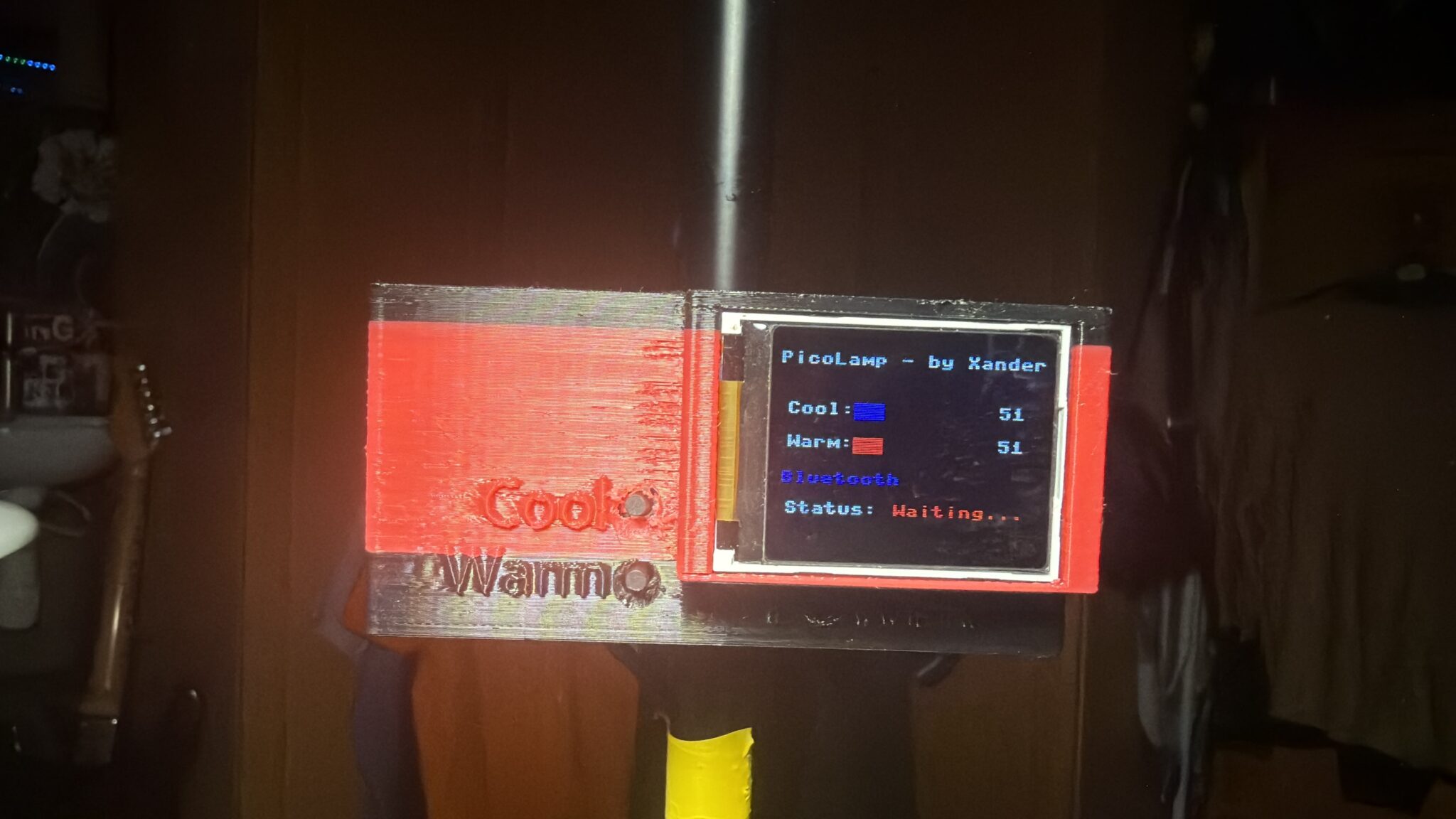
One of our favourite microcontroller builds is the PicoLamp. Powered by an RP2040 Pico running MicroPython, it drives a cylindrical array of WS2812B individually addressable RGB LEDs.
Features include smooth sinusoidal color fading, gamma-corrected brightness curves, custom mood presets, and rotary encoder inputs with hardware debouncing. Zero boot delay: switch on the power and light emanates instantly.
- Dual ARM Cortex-M0+ Cores @ 133MHz+: Plenty of horsepower for bare-metal digital signal processing.
- Programmable I/O (PIO): Eight autonomous state machines that run custom assembly routines to emulate hardware protocols (SPI, I2S, UART, WS2812B) without loading the main CPU cores.
- MicroPython & C/C++ SDK: Develop fast in Python; compile down to bare-metal C when microsecond performance demands it.
- Price Tag: At under £4 a board, you can embed computing into literally everything.
⌨️ The Raspberry Pi 500+ & Hardware Testing
The all-in-one keyboard form factor harkens back to the golden era of computing—the BBC Micro, Commodore 64, and Amiga 500. We've been bench-testing the new form factor, including documenting keyboard switch mechanics and teardowns.
Looking for the J-Key Investigation? We recorded high-resolution video evidence of the J-key mechanism and keycap tolerances on the keyboard unit.
View Pi 500+ Video Evidence & Downloads →📜 Xander's Field-Tested Rules of Raspberry Pi Engineering
These laws were written in the blood, sweat, and tears of corrupted SD cards, burnt buck converters, and mysterious 3 AM server crashes. Follow them, or prepare for silicon misery:
⚡ The Phone Charger Is A Lie
A mobile phone charger is designed to slowly trickle-charge a lithium-ion battery at a steady state. A Raspberry Pi 5 under heavy CPU burst demands instantaneous amperage. When voltage sags below 4.85V, you trigger undervoltage throttling, flaky USB peripherals, and silent filesystem corruption. Use the official 27W USB-C Power Delivery power supply and throw the unbranded wall warts in the bin.
💾 MicroSD Cards Are Not Solid State Drives
Treat every microSD card in a 24/7 server as a ticking time bomb. The moment you start writing database records, Docker logs, or Prometheus metrics to flash memory with zero wear-leveling, the card's days are numbered. Boot from an NVMe SSD over PCIe, or step up to the Radxa X4 with its native onboard 256GB M.2 2230 PCIe 3.0 x4 NVMe slot and 16GB of blazing LPDDR5 RAM.
❄️ Passive Cooling Is A Trap On The Pi 5
The Broadcom BCM2712 packs high-density silicon running at 2.4GHz. Sealing it inside an unventilated plastic shell turns it into a miniature sauna. Once the die hits 80°C, the kernel aggressively throttles your CPU. Invest in an Active Cooler with PWM fan control—it keeps temperatures in the 40s and operates silently.
🔒 Containerise Everything Before You Regret It
Never install random Python libraries, databases, or daemons directly into your host root filesystem.
Package everything in Docker containers via Docker Compose. When an upgrade breaks or you want
to tear down an experiment, docker compose down -v leaves your host operating system pristine and clean.
🌐 Static DHCP & SSH Key Authentication From Minute One
Before you even boot headless for the first time, configure your router's DHCP server with a static MAC reservation. Disable password SSH authentication immediately and use Ed25519 cryptographic keys. Nothing is more irritating than hunting through router logs for a mysterious IP address after a reboot.
🐕 All Hardware Must Pass Canine Security Inspection
Every cable run, Ethernet patch lead, and low-level fan blower must be vetted by Blinky and Charlie. Cables must be tucked into protective trunking to prevent curious snoots, tail sweeps, and accidental disconnects.
📷 Hardware Showcase & Lab Archives
Photographic evidence from the test bench, server builds, 3D printing runs, and supervisory staff: